 TV Remote
LG TV remote app
An LG TV remote that lives on your phone.
TV Remote connects to LG webOS TVs over your Wi-Fi, with no account, no ads and no weekly fee.
 Free for one TV. Pro is $9.99 once, or a 7-day free trial then $4.99/year.
LG support is new and marked Beta in the app. If your model has trouble, email awfasano@gmail.com with the model and we'll fix it.
Set it up in a minute
- Turn the TV on and put your device on the same Wi-Fi.
- Open TV Remote, tap Find My TV and choose your LG.
- The TV asks you to accept the connection. Accept it once.
What you can do
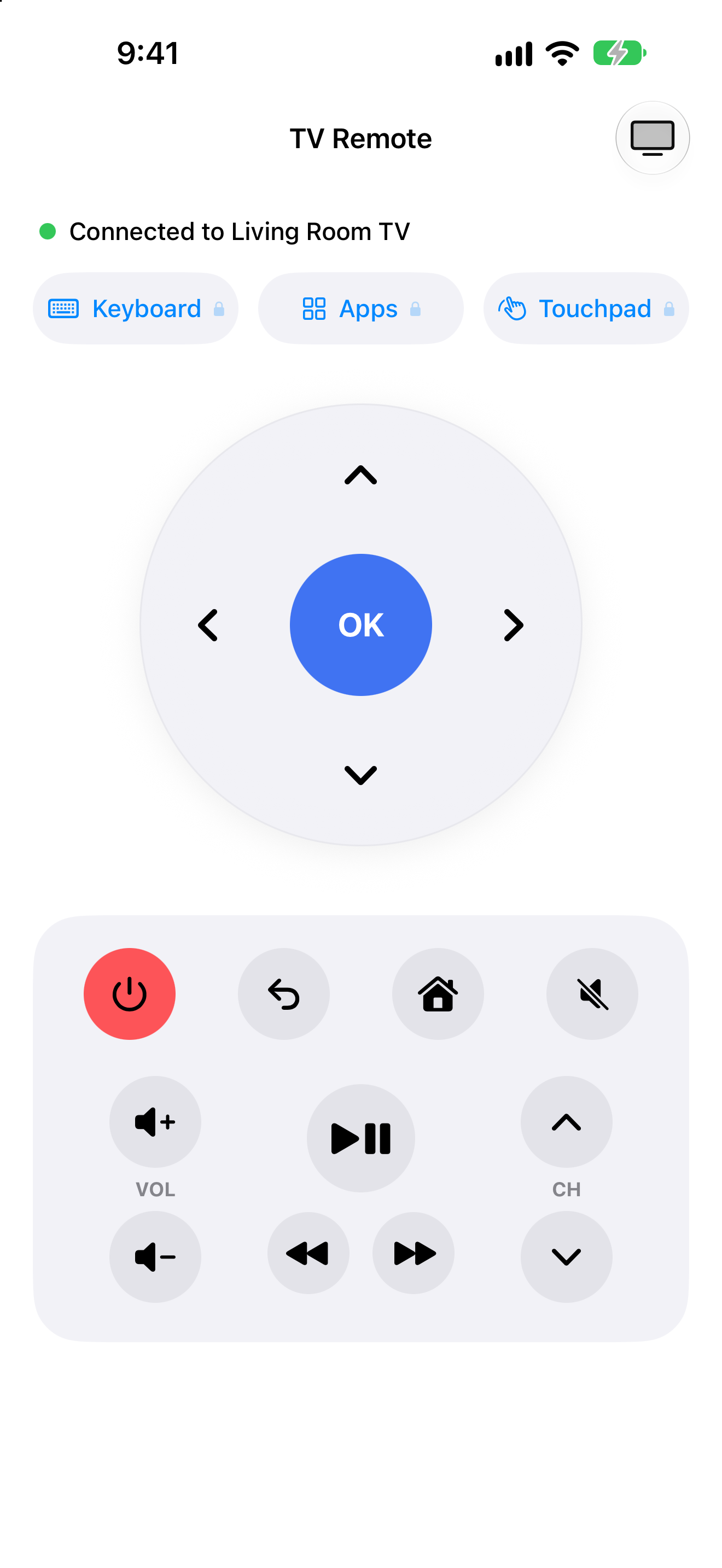
- The D-pad, OK, Back and Home
- Volume, mute and power off
- Play, pause, rewind and fast-forward
- Open your TV apps (Pro)
- Type with your keyboard (Pro)
Questions
The app can't find my LG
Check that the TV is on and on the same Wi-Fi. On some webOS versions a setting called LG Connect Apps must be on; it's under Network or General, depending on the model.
I don't see the pairing prompt
Look at the TV right after choosing it in the app. The prompt only appears for a short time, so try again if you missed it.
Is it really free?
Free for one TV. Pro is $9.99 once, or a 7-day free trial then $4.99/year.
Works with your other TVs too
Free for one TV. Pro is $9.99 once, or a 7-day free trial then $4.99/year.